







We’ve added a new feature to Trackboxx: Auto Goals.
Trackboxx now detects events on your website automatically and displays them in the Goals section. You can turn any of these events into a custom goal—without adding separate code for every goal.
What does this feature do?
Auto Goals helps you capture important actions on your website as conversion goals faster and more easily.
For example:
- clicks on buttons or elements
- page views
- relevant user actions on your website, such as downloads
Trackboxx initially collects these events only as detected live events. You then decide which event should actually be saved as a goal.
Important: A detected event does not automatically count as a conversion. It becomes a goal only after you save it.
How it works
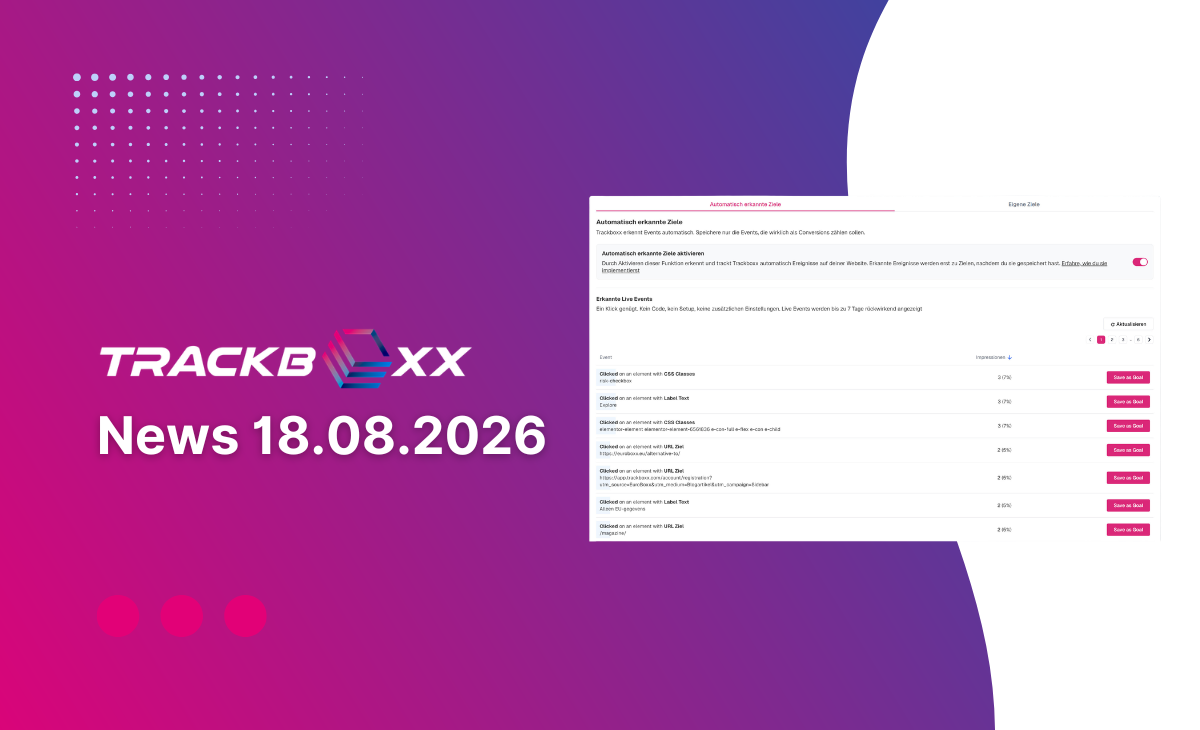
In the Goals section, you will now find the tab Automatically Detected Goals.
Enable automatic detection in this tab. Once it is active, Trackboxx records events on your website and displays them in a list.
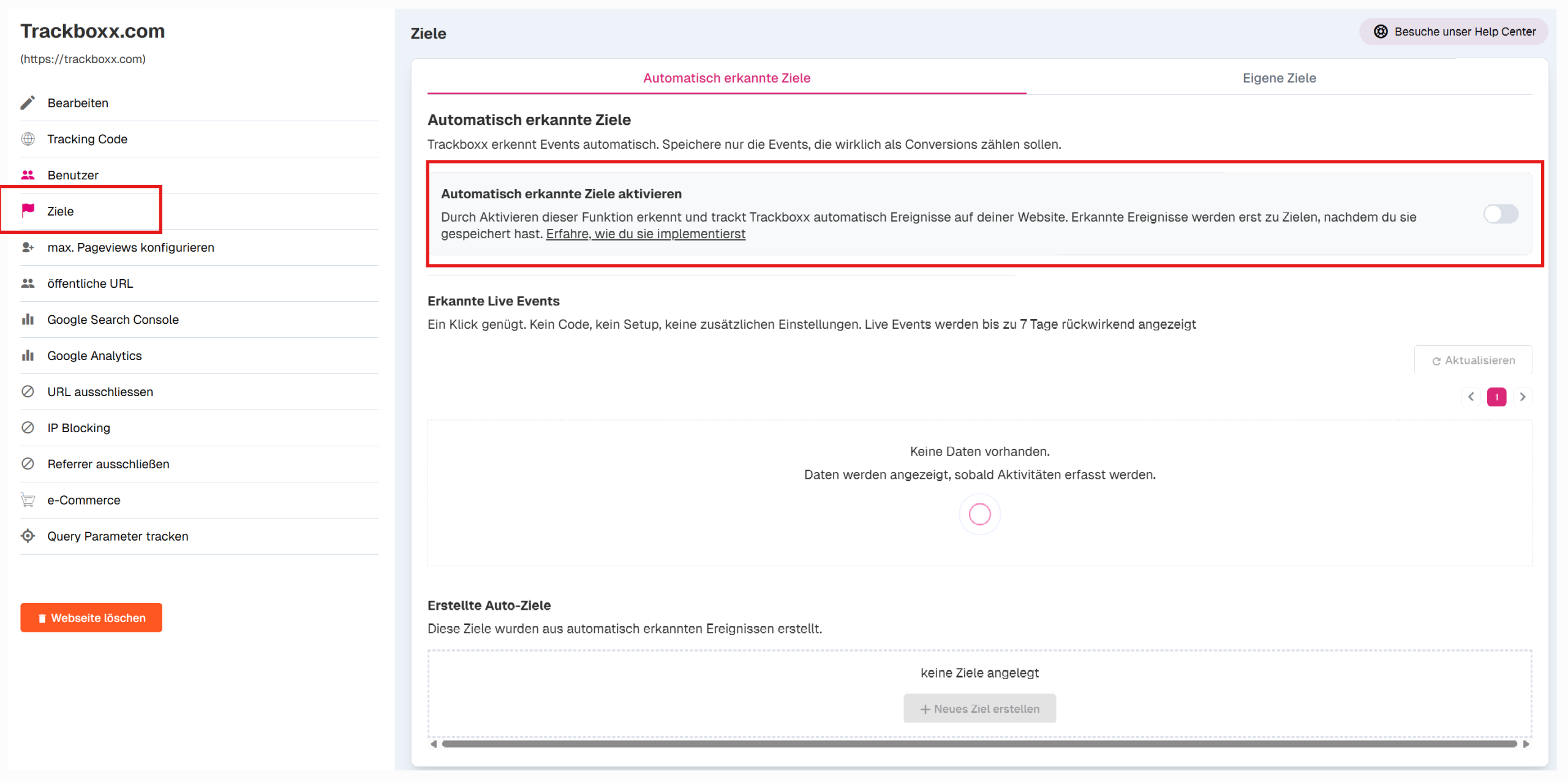
You can create a new goal directly from this list.
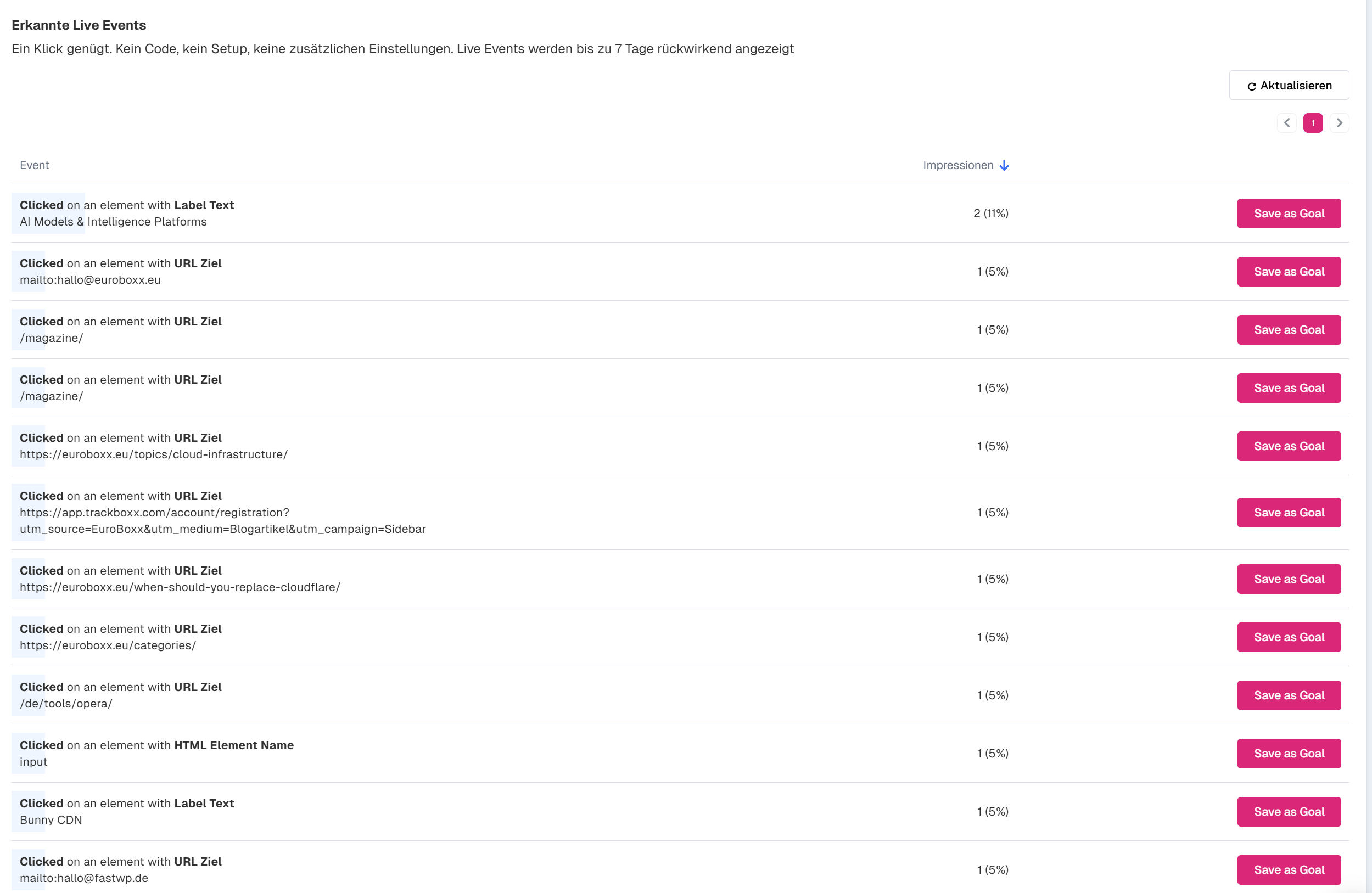
Simply select the desired element and click Save. In the next view, you will find various configuration options.
In most cases, it is enough to give the event a clear name and save it.
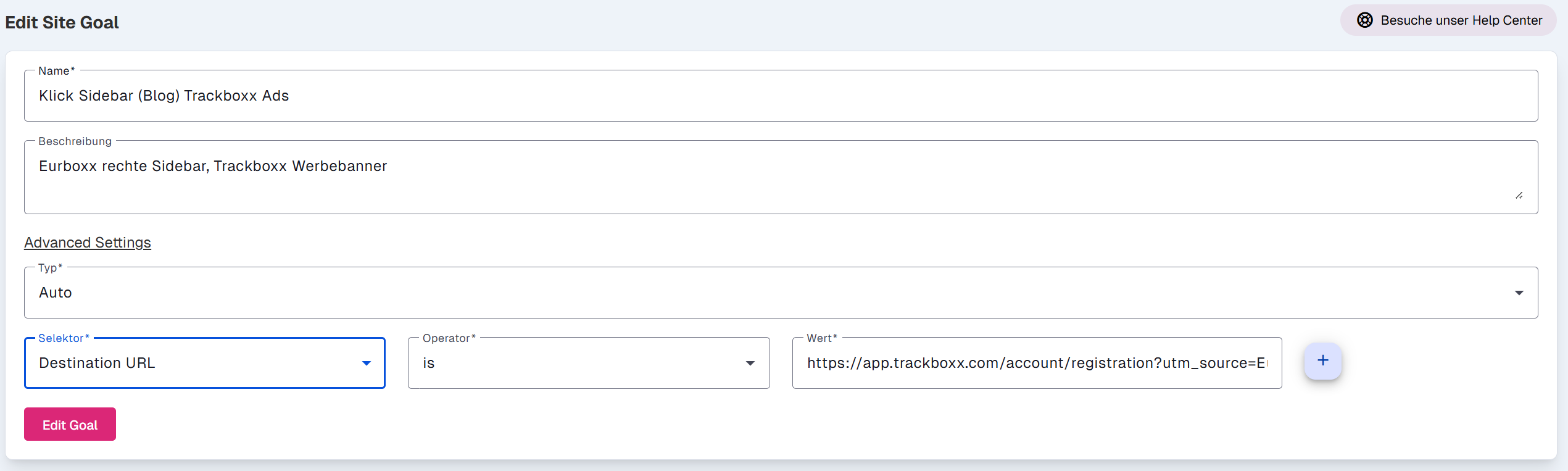
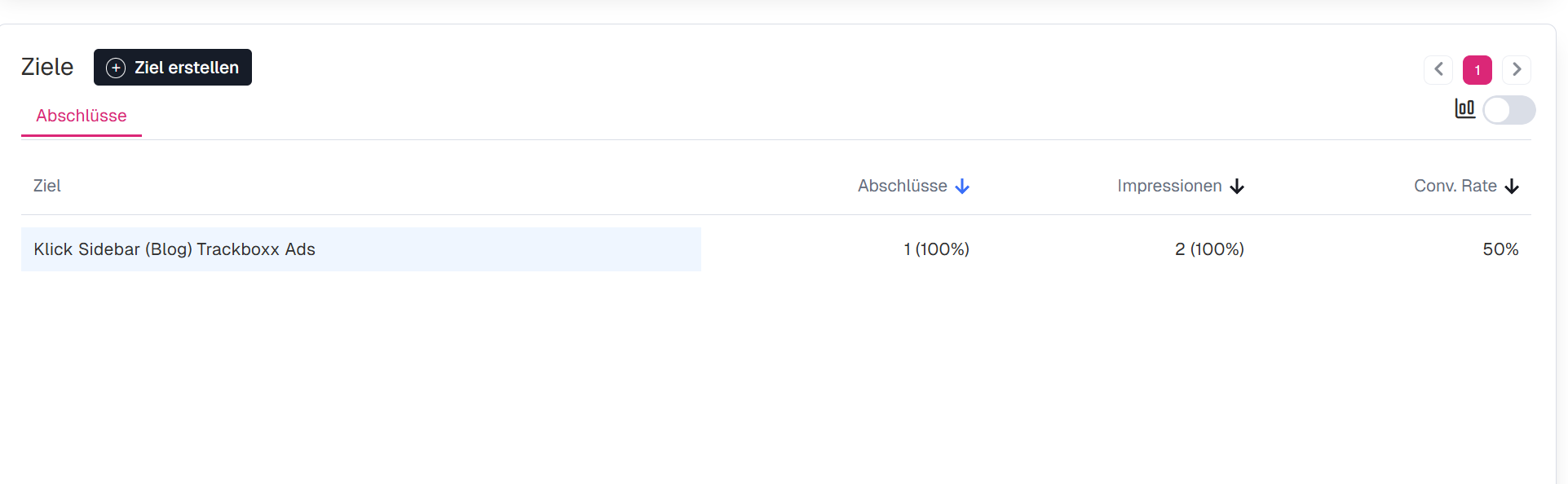
The “auto event” is then saved as a goal and will be displayed accordingly in the Goals module as soon as someone triggers that event on your website.
Summary
- Activate Auto Goals
- Let Trackboxx automatically detect events
- Select relevant events
- Create goals from these events
Live events visible for up to 7 days
Detected live events remain available for up to 7 days. This gives you time to review activity on your website and decide which events are worth saving as goals.
Custom goals remain available
Your existing custom goals remain available as before. Auto Goals is an additional option that allows you to create goals faster and more easily from automatically detected events.