






UTM parameters allow you to better track, structure and understand traffic from various sources.
For example, with the help of UTM parameters you can analyze exactly how many clicks a specific post on Facebook sends to your target. Or you are able to see how many users clicked on a link in your last newsletter.
More effective evaluation of Google ads is also possible with the help of UTM parameters.
How exactly does UTM tracking work with Trackboxx?
Trackboxx can detect and display 5 different UTM parameters:
- Source
- Medium
- Campaign
- Term (search term)
- Content (ad content)
With these parameters, you can create your UTM link, and the corresponding traffic is shown “broken down” in the UTM sources section.
Example of a link + UTM parameter:
https://staging.trackboxx.com/?utm_source=fastwp&utm_medium=banner%20sidebar%20blog&utm_campaign=bannerwerbung
Code language: JavaScript (javascript)
This is a link that has been created for a banner on the www.fastwp.de portal. If someone clicks on this banner, the following information is transferred to Trackboxx:
utm_source=fastwp = the source is fastwp
utm_medium=banner%20sidebar%20blog = the medium in this case is a banner, in the sidebar on the blog of fastwp.de
utm_campaign=bannerwerbung = the campaign is named “bannerwerbung” (banner advertising) in this example
Of course, you can name the individual parameters as you wish. In the end, you should only be able to see as clearly as possible where the corresponding traffic comes from.
Another example:
Newsletter:
For example, you have linked a special offer in your newsletter. The UTM link could then be structured as follows:
https://YOUR-WEBSITE-URL.DE/?utm_source=newsletter&utm_medium=email&utm_campaign=october-newsletter
Trackboxx will then show a click from your newsletter with the following information:
utm_source=newsletter= the source is the newsletter
utm_medium=email = the medium is e-mail
utm_campaign=october-newsletter = it is a newsletter that was sent in October
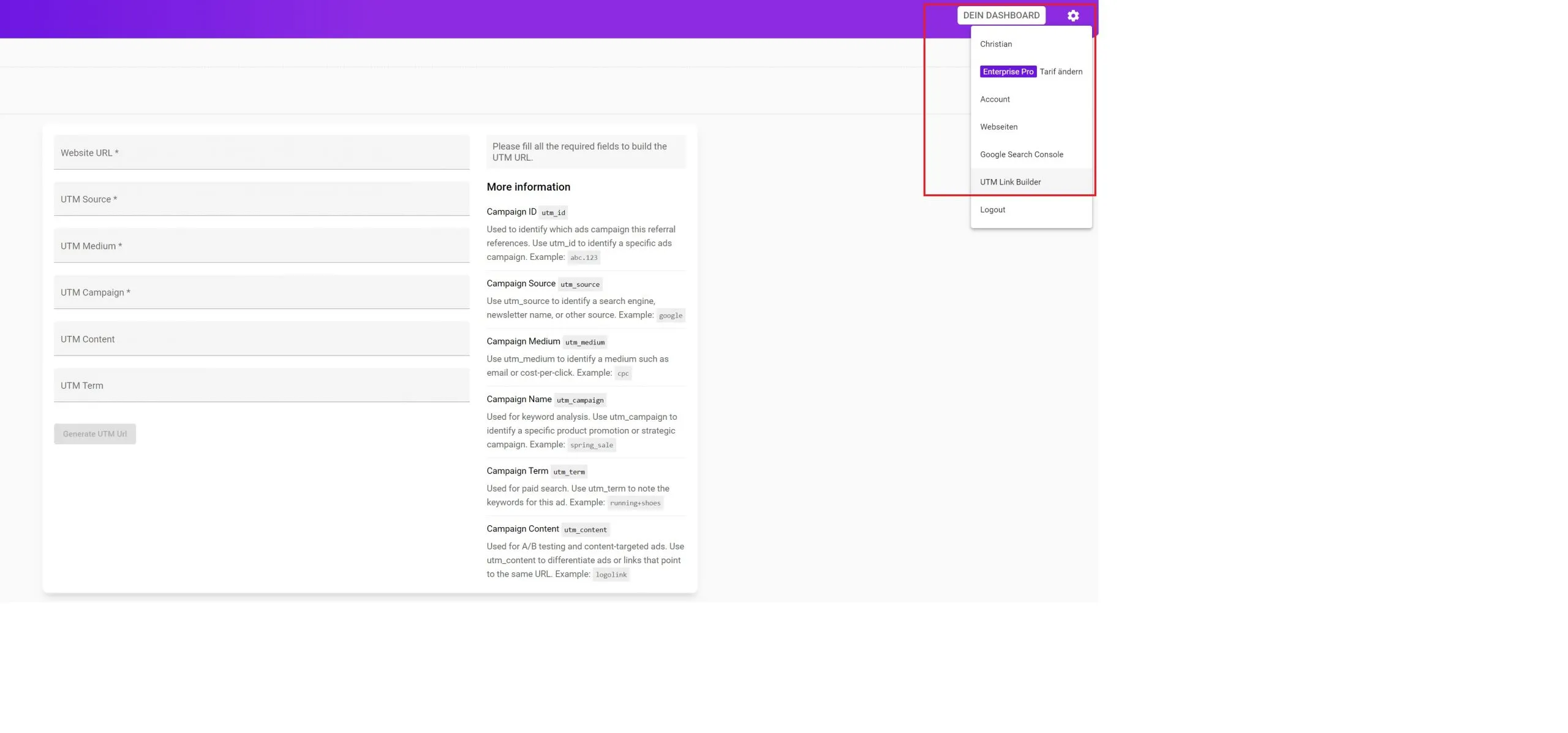
Create UTM Link
You can find our UTM link generator in the Trackboxx dashboard. Use it to create your UTM links.