







Installing the JTL plugin
You can download the JTL plugin for free from the official JTL Store.
Requirement
You need a Trackboxx account. Add your shop URL to generate your personal tracking code.
Configuration
In the plugin settings, simply enter your Trackboxx ID. This connects your shop to Trackboxx and lets you view the captured data in your dashboard.
You can find the required ID in your Trackboxx account.
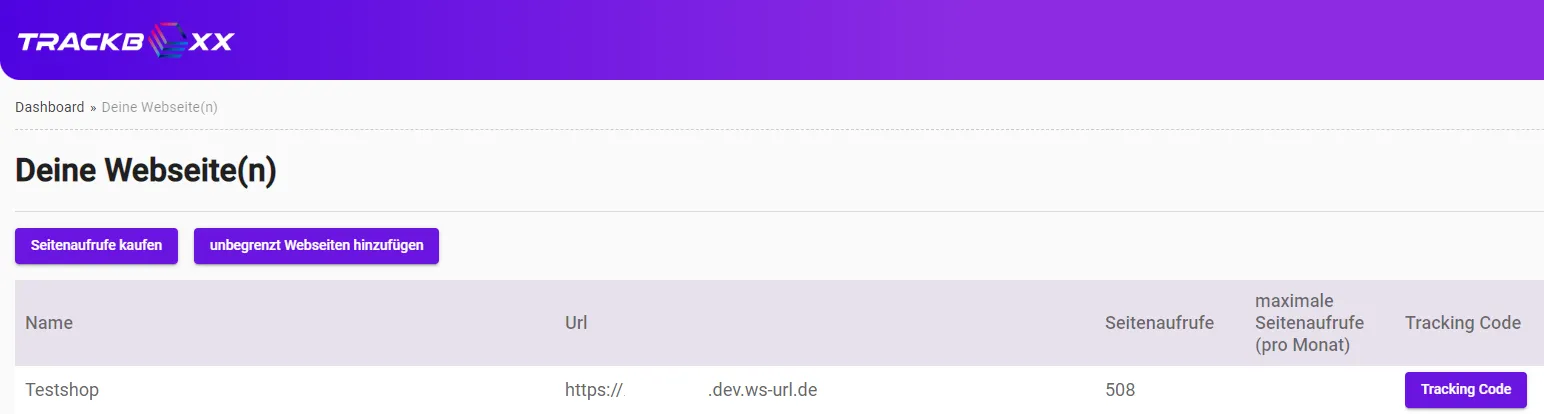
Under “Your website(s)”, click “Tracking code”. Your ID is shown on the third line from the bottom.
Highlighted in red here:
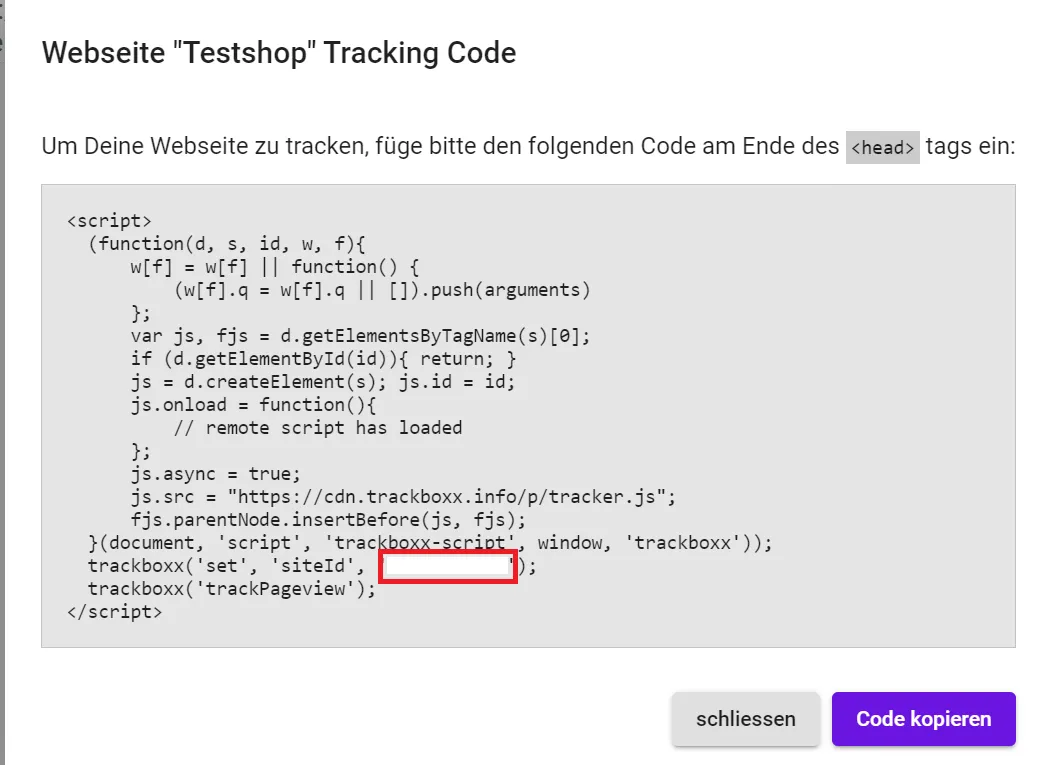
Copy the ID and paste it into the corresponding field in the plugin.
The plugin sends the net value of each sale, excluding VAT, rather than the gross value.